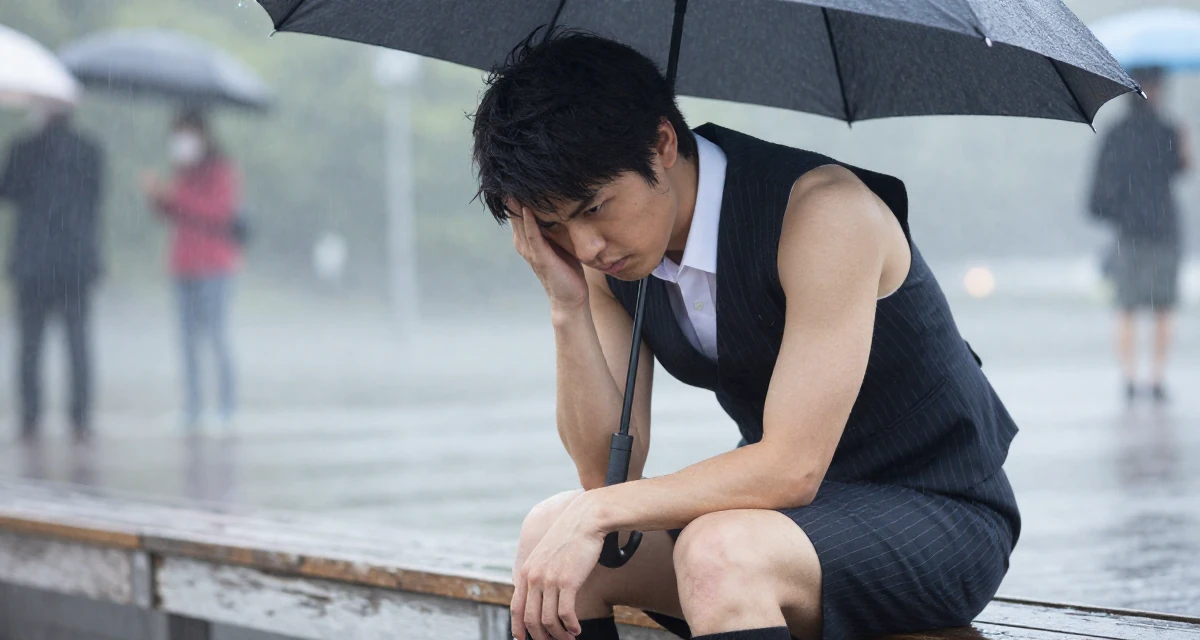
It’s 11:47 p.m. and you’re still in that soft-blue glow—phone in hand, OnlyFans app open, thumb hovering like it’s afraid to touch anything.
You didn’t plan to doomscroll. You were going to upload the set you shot earlier: low light, velvet shadows, the kind of atmosphere that makes your page feel like a private room. The aesthetic you’ve built—slow, sensual, controlled—usually gives you emotional grounding. It’s your ritual.
But then you saw the headline about a massive exposure of logins and passwords, with OnlyFans named in the list. Not an abstract “data breach” somewhere far away—your actual world. Your income. Your identity. Your calm.
And now you’re thinking: If someone gets in… do they message fans as me? Do they change payout details? Do they leak content? Do they lock me out?
I’m MaTitie, editor at Top10Fans. I’ve helped creators grow across borders and across moods—because the truth is, growth isn’t only strategy. It’s nervous system management. So let’s walk this through in a way that keeps you steady and practical.
The scary part isn’t the headline—it’s the uncertainty
The reporting on 2026-01-24 described a huge set of exposed credentials tied to major services (including OnlyFans), found sitting unsecured and accessible—massive volume, real risk, and the kind of story that makes your stomach drop even if you’ve never clicked anything shady in your life. That specific detail matters because it often points to credential exposure (logins collected elsewhere or via malware) rather than a single platform “getting hacked” in a clean, movie-like way.
Here’s the emotional trap creators fall into:
- “If my password is strong, I’m safe.”
- “If OnlyFans is big, they must have it covered.”
- “If I don’t click links, nothing can happen.”
All three can be partly true and still not enough.
Because the OnlyFans app is only one doorway into your account. The bigger system includes your email inbox, your device, your browser sessions, your saved passwords, and your habits on nights when you’re tired and trying to keep up with quality.
You already know that pressure—constantly upgrading: sharper edits, better lighting, more consistent posting, more “presence.” That pressure is exactly when security slips in, quietly.
A quiet reality check: big platform, lean team, you still carry your own locks
One detail that stuck with me from a CEO interview: OnlyFans reportedly operates with a relatively small employee count—42—while serving hundreds of millions of users and millions of creators worldwide, with Keily Blair cited as CEO (appointed in 2023). Whether that number surprises you or not, the takeaway is simple:
A platform can be massive and still rely heavily on automation and self-serve systems. That doesn’t mean they don’t care. It means you should assume your account’s day-to-day safety is a shared responsibility—and your side of the responsibility is the part you can control tonight.
If you’re a creator who lives in the United States (even if you’re currently based elsewhere), you’re also operating in a high-visibility market. That visibility is an advantage for income—and it’s a magnet for opportunistic account takeovers.
The onlyfans app “safety reset” I recommend (do it in this order)
Think of this like lighting a candle and resetting the room—slow, deliberate. Not panic.
1) Start with your email (because it’s the master key)
Most account takeovers don’t begin inside OnlyFans. They begin with your email.
Tonight, do three things:
- Change your email password to something unique and long (a passphrase you’ve never used anywhere else).
- Turn on 2FA for your email (authenticator app is best; SMS is better than nothing).
- Check recent sign-ins / active sessions and sign out of anything unfamiliar.
If your email is compromised, someone can reset your OnlyFans password even if your OnlyFans password is perfect.
2) Then secure OnlyFans itself
Inside OnlyFans (and in the OnlyFans app settings if applicable):
- Change your OnlyFans password (unique, never reused).
- Enable 2FA if available on your account.
- Review connected devices/sessions and log out of anything you don’t recognize.
- Verify payout details haven’t changed (this is the “silent damage” people miss).
Do not reuse the new email password here. Password reuse is how exposed credentials become a chain reaction.
3) Assume “infostealer” risk and scan the device you post from
Some exposure stories tie credential dumps to “infostealer” malware—software that quietly grabs saved passwords and session cookies from a device. If you’re editing and uploading from the same laptop you use for everything, this matters.
- Run a reputable malware scan.
- Update your OS and browser.
- If your browser is full of saved passwords, treat that as a risk area and migrate to a dedicated password manager.
If you’ve ever downloaded a “free preset pack,” a cracked plugin, a sketchy video converter, or a random “growth tool,” don’t shame yourself—just treat it like a possible entry point and clean up.
4) Upgrade your passwords in a way you can actually maintain
Creators often fail here because the advice is always “use strong passwords,” but no one tells you how to do it without burning out.
My practical standard:
- Use a password manager.
- Use unique passwords for: email, OnlyFans, Instagram, cloud storage, banking, and your primary phone account.
- Set your manager to generate 20+ character passwords.
- Keep emergency backup codes offline (printed and stored safely).
This is the difference between “I tried” and “I’m done worrying about it.”
5) Clean your “brand surface” so attackers have less to work with
Attackers don’t always brute-force. Sometimes they socially engineer.
- Remove public hints of your login email anywhere.
- Keep creator email separate from personal email.
- Be careful with screenshots that show notifications, full names, or partial emails.
- If you use a link hub, don’t list unnecessary contact pathways.
You’re building an atmosphere-driven persona—mysterious, curated. Security is part of that mystery.
A few years ago, I briefly joined OnlyFans—here’s what I learned fast
I’m not a creator on your path, but I did join OnlyFans briefly a few years back to understand the product from the inside—what it feels like to subscribe, how messages flow, how paywalls change behavior, how quickly a small friction point can drop conversion.
The lesson that applies to today’s OnlyFans app security scare is this:
The platform experience is designed to be fast and intimate. That’s what makes it monetize. But that same speed makes it easy to make “one small mistake” when you’re tired—reusing a password, approving a login, clicking a fake “support” message, trusting a too-helpful DM.
Creators are often told to be “on” all the time. Security requires the opposite: slowing down at the right moments.
So if you’re reading this in Batumi at an odd hour, or back home in Georgia visiting family, or anywhere your routine is slightly off—consider that part of the risk model. Not because you’re careless, but because you’re human.
“OnlyFans is controversial” isn’t the point—your safety and income are
A lot of public descriptions of OnlyFans focus on controversy, but creators know the real mechanics:
- Creators keep about 80% of revenue.
- The platform is used for fitness, music, and more, though it’s widely known for adult content.
- Users must be 18+, with ID checks, and online-safety groups still warn about risks.
You don’t need anyone’s judgment. You need your work protected.
So when headlines spike anxiety, I want you to anchor on this: your account is a business asset. Security is not “extra.” It’s operations.
What account takeover can look like (so you can spot it early)
Not all takeovers are dramatic. Some are quiet, almost polite.
Here are scenarios I’ve seen creators describe:
Scenario A: “Nothing looks wrong, but fans say my DMs are weird”
An attacker logs in and starts pushing scams to your subscribers, or fishing for tips off-platform. You feel embarrassed, but it’s not your fault. The faster you revoke sessions and reset passwords, the less damage.
Scenario B: “My payout fails”
An attacker changes payout details. You might only notice when the payout doesn’t land. This is why reviewing payout settings is part of the reset.
Scenario C: “I’m locked out”
Password changed, email changed, 2FA enabled by the attacker. This is why securing your email first is so important.
Scenario D: “My content shows up elsewhere”
This can happen without a takeover too (screen recordings exist), but takeover can accelerate it because the attacker can access your library directly. Your best defense is layered: account security + watermarking strategy + DM boundaries + fast takedown routines.
The OnlyFans app habits that keep you safe without killing your vibe
You’re not trying to become a cybersecurity analyst. You’re trying to keep making beautiful, intimate work without feeling hunted by the internet.
So here’s the creator-friendly approach—built to fit your pace:
Make “posting time” and “security time” separate
When you’re in creative mode—music on, editing, caption writing—don’t mix it with password changes and login approvals. That’s when mistakes happen.
Give security its own small ritual:
- tea or water
- 15 minutes
- checklist
- done
Treat DMs like a velvet rope, not an open door
If anyone claims to be “support,” “manager,” “brand,” or “security,” assume it’s a performance until proven otherwise. Keep conversations inside the platform when possible. Don’t click links. Don’t download files from strangers.
Don’t let “quality pressure” push you into risky shortcuts
The fastest way creators compromise themselves is by trying to move faster:
- new apps
- free tools
- cracked software
- shady “growth hacks”
If your confidence fluctuates, you’re more likely to chase a quick fix to feel in control again. That’s not a character flaw. It’s a cue: slow down, choose the boring secure option, and let the calm return.
If you think you were affected, do this tonight (without spiraling)
If you’re feeling that tight chest “what if,” here’s the no-drama sequence:
- Change email password + enable 2FA
- Change OnlyFans password + enable 2FA
- Log out all sessions where possible
- Review payout details
- Scan device; update OS/browser
- Rotate passwords anywhere you reused the old one
- Tell one trusted friend/partner “I’m doing a security reset tonight” (accountability calms the mind)
Notice what’s not on the list: obsessively searching your name, asking strangers, posting panic. Those actions burn your energy and don’t increase safety.
Why the “42 employees” detail should change how you operate (in a good way)
When a platform serves an enormous user base with a lean team, it usually means:
- more automated enforcement
- more standardized support pathways
- less room for “handheld” recovery when things go wrong
So the best creator move is prevention:
- keep your recovery options updated
- store backup codes securely
- keep a dedicated email for creator work
- document your account details privately (creation date, billing descriptors, etc.) so you can prove ownership if you ever need to
That’s not paranoia. That’s professionalization.
Staying emotionally grounded is part of account security
This is the part most articles skip, but it matters for you.
When confidence dips, you might:
- delay enabling 2FA because it feels like “one more thing”
- reuse a password because you don’t have bandwidth
- click something because you’re tired and want the stress to stop
So here’s a grounding line I want you to borrow:
“Tonight, I protect what I’ve built—quietly, completely.”
Security is not a loud, frantic act. It’s soft. Controlled. Final.
Sustainable growth after a scare: protect, then expand
Once your reset is done, you can go back to growth with a steadier spine:
- Your audience can feel consistency more than perfection.
- Your visual atmosphere is already a brand advantage.
- Your next “upgrade” doesn’t have to be gear—it can be systems.
If you want a gentle next step, build a simple operating routine:
- weekly: check sessions, update devices
- monthly: password audit for key accounts
- quarterly: backup codes review, payout review
And if you decide you want help pushing global traffic without compromising safety, you can join the Top10Fans global marketing network—just keep security as the foundation under every campaign.
📚 Keep Reading (US Edition)
If you want the exact context behind the headlines, start with these three pieces and then come back to finish your security reset.
🔸 Massive breach exposes 149 million Instagram, Gmail, OnlyFans passwords
🗞️ Source: Startupnews – 📅 2026-01-24
🔗 Read the full article
🔸 Massive breach exposes 149 million Instagram, Gmail, OnlyFans passwords
🗞️ Source: Mint – 📅 2026-01-24
🔗 Read the full article
🔸 OnlyFans CEO says company operates with just 42 employees
🗞️ Source: Moneycontrol – 📅 2026-01-26
🔗 Read the full article
📌 Friendly Disclosure
This post blends publicly available information with a touch of AI assistance.
It’s for sharing and discussion only — not all details are officially verified.
If anything looks off, ping me and I’ll fix it.
💬 Featured Comments
The comments below have been edited and polished by AI for reference and discussion only.